Manual Purchase
Manual Purchase (also referred to in Mandi practice as a direct purchase) is an item source inside the Daily Work > Purchases (/transactions/purchase) screen rather than a separate menu. Use it when you acquire crops directly from a farmer or merchant without first logging a gate Arrival and Tulai.
When should I use it?
- Purchasing stock directly from another trader or commission agent (Merchant Purchase (Direct)).
- Recording a spot purchase from a farmer where gate entry and auction queues were not used (Farmer Purchase (Arrivals) with a Manual line item).
Before you start
- Ensure the Farmer or Buyer / Supplier and Commodity exist in Masters.
- Confirm the purchase date falls within an open, unlocked Financial Year.
How to record a Manual Purchase
- Open Daily Work > Purchases (
/transactions/purchase) and click + New Purchase Entry. - If the Select Arrival modal opens, click Skip (Manual Entry).
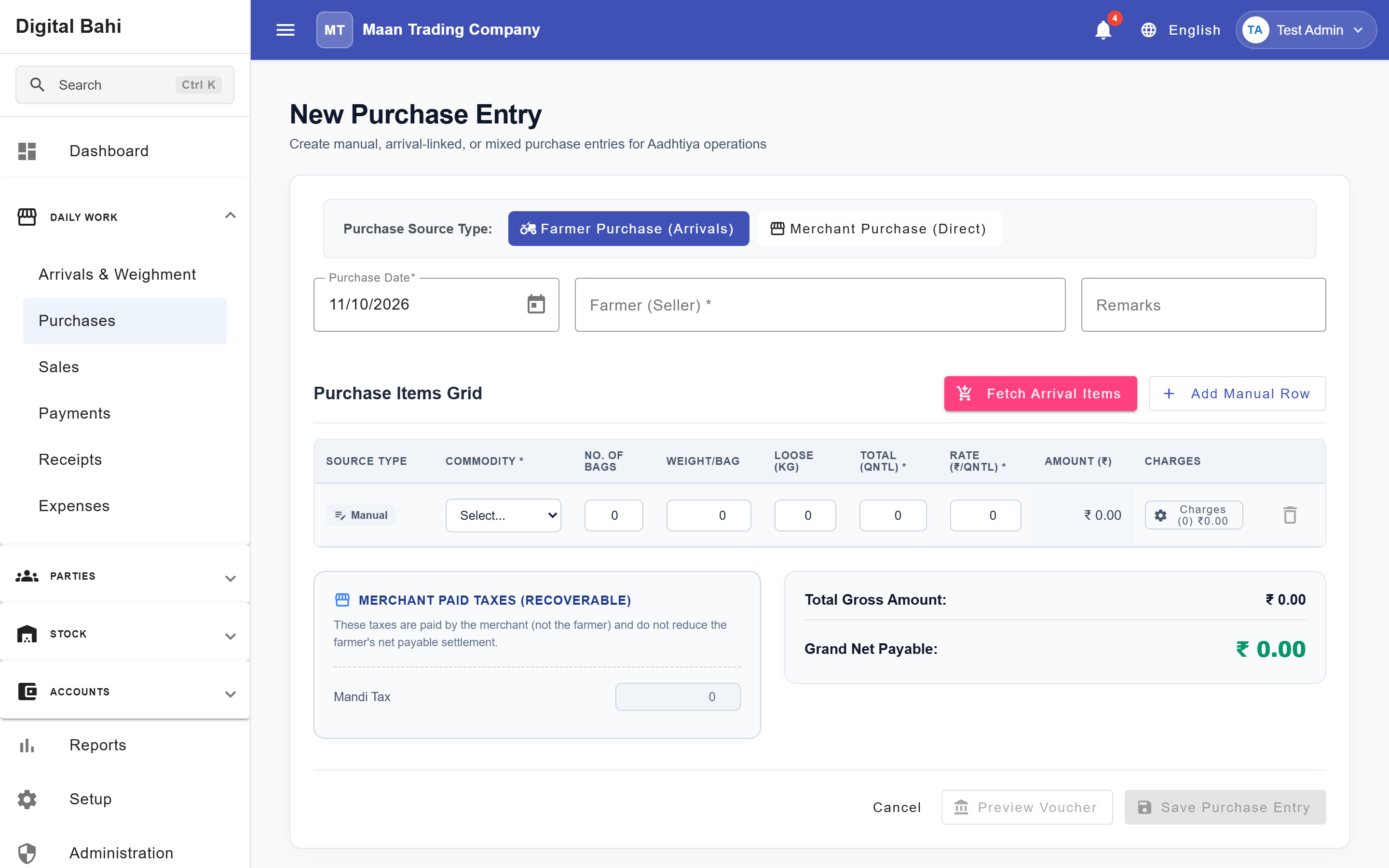
- Select the Purchase Source Type:
- Farmer Purchase (Arrivals) (buying from a Farmer)
- Merchant Purchase (Direct) (buying from a Party / Trader)
- Select the Farmer or Party and verify the Purchase Date.
- In the Commodity Line Items table, verify that the row shows Source Type: Manual (or click + Add Manual Row to add additional rows).
- Select the Commodity, then enter Bags, Weight/Bag, optional Loose Weight, and the agreed Rate.
- Review the automatically calculated Actual Weight, Amount, applicable Charges, GST Summary, and Net Payable.
- Click Preview Voucher to inspect the ledger lines, or click Save Purchase Entry to post the purchase.
How Charges Apply to Manual Purchases
Bypassing the Arrival screen does not bypass your configured charge rules:
- When Purchase Source Type is Farmer Purchase (Arrivals), charges mapped to Farmer Purchase (such as Dhanka and Jharai) apply automatically.
- When Purchase Source Type is Merchant Purchase (Direct), charges mapped to Party Purchase (Kacha Arhat) apply automatically.
Inventory, Accounting, and Corrections
Just like an Arrival-Linked Purchase, posting a Manual Purchase creates physical inventory lots, updates weighted-average stock valuation, and posts the payable amount to the Farmer or Party ledger (visible in Farmer 360 or Party 360).
Manual Purchases follow the same Draft, Posted, and Cancelled lifecycle and inventory-consumption safeguards described in Purchase.