Party & Farmer Ledger
The Account Ledger, Party Ledger, and Farmer Ledger screens provide a complete chronological financial statement for any selected Farmer, Buyer/Party, or General Account over a chosen Financial Year or date range.
What is this?
Digital Bahi computes every statement from a single unified accounting engine: your Account Opening Balances plus all Posted and Locked double-entry voucher lines.
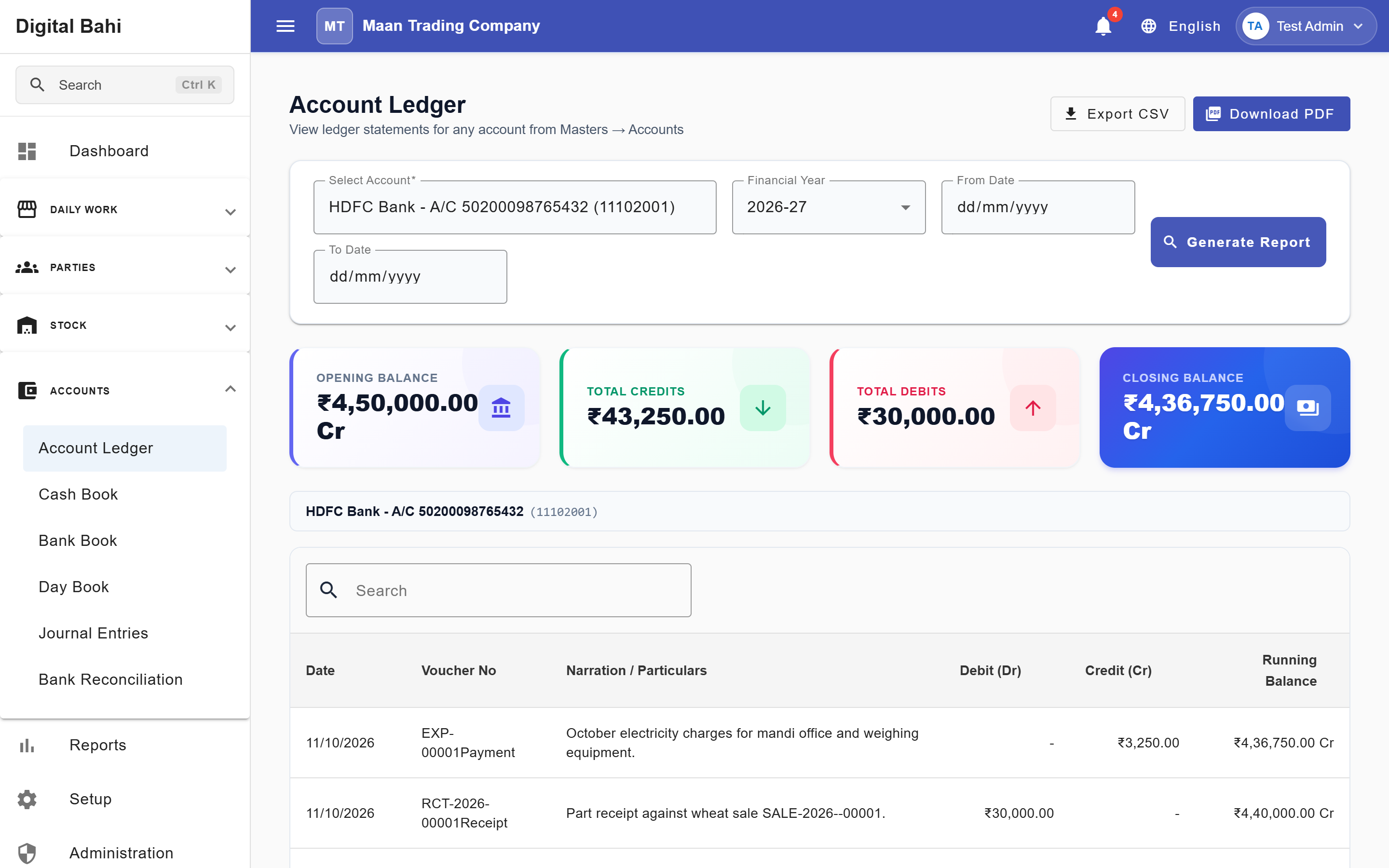
- Unified Account Ledger (Recommended): Open Accounts > Account Ledger (
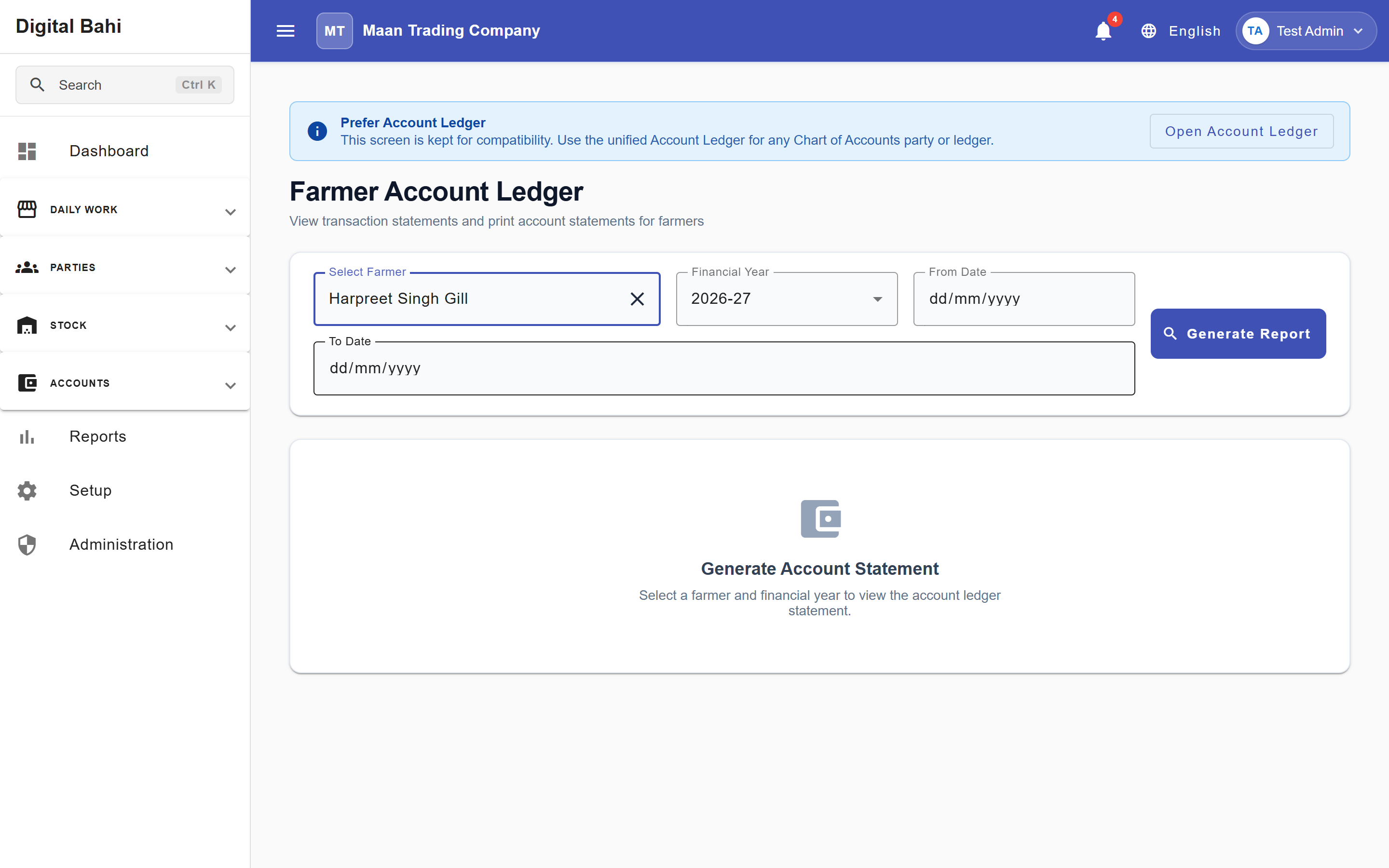
/accounts/account-ledger) to inspect statements for any Farmer, Buyer/Party, Bank, Cash, Expense, or General Ledger account in one place. - Dedicated Farmer & Party Ledgers: You can also open Reports > Farmer Ledger (
/reports/farmer-ledger) or Reports > Party Ledger (/reports/party-ledger), or view the statement directly inside the embedded Ledger tab of a farmer's Farmer 360 or buyer's Party 360 workspace.
When should I use it?
Use the Ledger statement whenever you need to check how much you owe a farmer, how much a buyer owes you, verify whether an account is in an advance position, or print/share a statement PDF before settling accounts.
How to use it
- Open Accounts > Account Ledger (
/accounts/account-ledger), Reports > Farmer Ledger (/reports/farmer-ledger), or Reports > Party Ledger (/reports/party-ledger)—or open the Ledger tab inside Farmer 360 / Party 360. - Select the specific Account, Farmer, or Party.
- Choose the Financial Year and optional From / To Date range, then click Generate Report.
- Review the four summary cards (Opening Balance, Total Credits, Total Debits, and Closing Balance), the chronological transactions table, and the Running Balance.
- Use the top-right export buttons (Download PDF or Export CSV) to save or share a formatted statement.
Columns & Enriched Details Explained
| Column | What it means |
|---|---|
| Date | Date the voucher was posted. |
| Voucher No | Unique system voucher reference (plus the linked Purchase Slip or Sale Invoice number where applicable). |
| Narration / Particulars | Transaction remarks. For Purchases and Sales on Farmer/Party ledgers, Digital Bahi automatically enriches the row with the Bill Number, Commodity / Crop Name, Bags, Net Weight, and Net Bill Total. |
Debit (Dr) & Credit (Cr) | How the entry affects the selected account's balance. |
| Running Balance | Cumulative balance after that line, accompanied by a clear business status badge on Farmer and Party statements. |
Understanding Balance Badges (Dr vs Cr)
To eliminate confusion between Debit and Credit, Digital Bahi translates the closing balance into clear business language based on whether you are viewing a Farmer or a Buyer / Party:
| Account Context | Credit (Cr) Balance Means | Debit (Dr) Balance Means | Zero (0.00) Balance |
|---|---|---|---|
| Farmer Statement | Payable to Farmer: Money your business owes the farmer for crops purchased. | Advance / Receivable from Farmer: Money the farmer owes your business (e.g., an advance paid). | Settled |
| Buyer / Party Statement | Advance / Payable to Party: Money your business owes the party (e.g., advance received or unpaid party purchase). | Receivable from Buyer: Money the buyer owes your business for sales billed. | Settled |