Financial Year
A Financial Year defines the calendar boundary for your accounting and daily business operations. You must create and activate a financial year before you can record any transactions.
Managing Financial Years
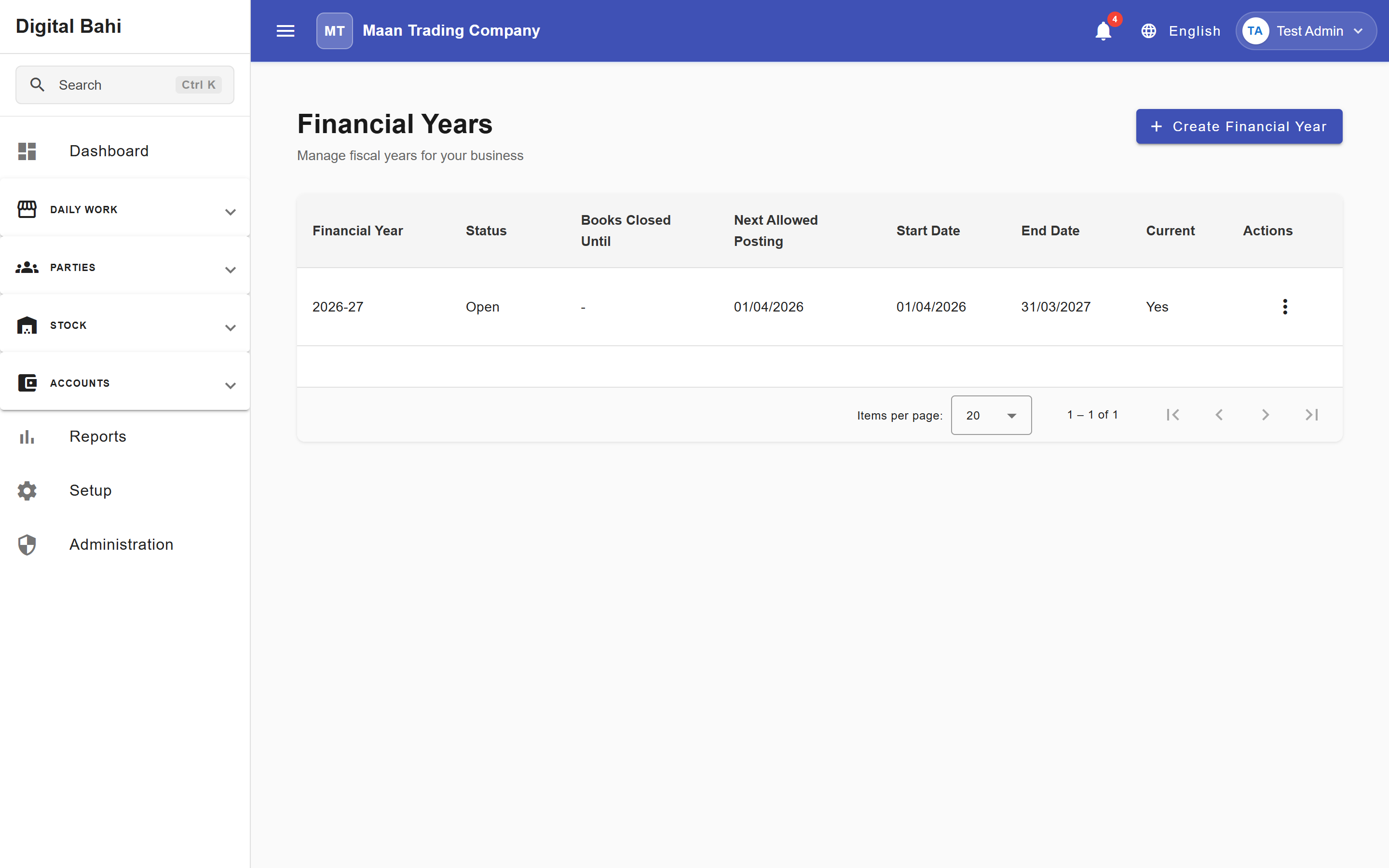
- Open Setup > Other setup & master settings > Financial Years.
- You will see a list of all your financial years showing their Start Date, End Date, and whether they are currently Open or Closed.
- The year marked as Current is the default period for new transactions and reports.
Creating a new Financial Year
When a new accounting year approaches (e.g., April 1st), you must create a new record:
- Click Create or New Financial Year.
- Enter the Year Name (e.g., "2024-2025").
- Select the exact Start Date and End Date.
- Save the record. You can then mark it as your active/current year.
Posting Restrictions (Books Closed)
Digital Bahi supports period-locking to prevent accidental changes to finalized accounting periods.
- Books Closed Until: Any transaction dated on or before this date cannot be created, edited, or deleted.
- Next Allowed Posting Date: Transactions can only be recorded on or after this date.
Note: These restrictions protect your accounting integrity after you have filed your returns or audited your books.