Business Profile
Your Business Profile stores the official legal identity, tax registration, and location details for your organization. This information appears on your printed tax invoices, purchase slips, vouchers, and financial reports, and is the first required step in the Setup Center.
Updating your profile
- Open Setup > Complete business profile (or open the user menu and select Business Profile).
- Enter or update your business identity, tax, and address fields.
- Click Save to apply your changes.
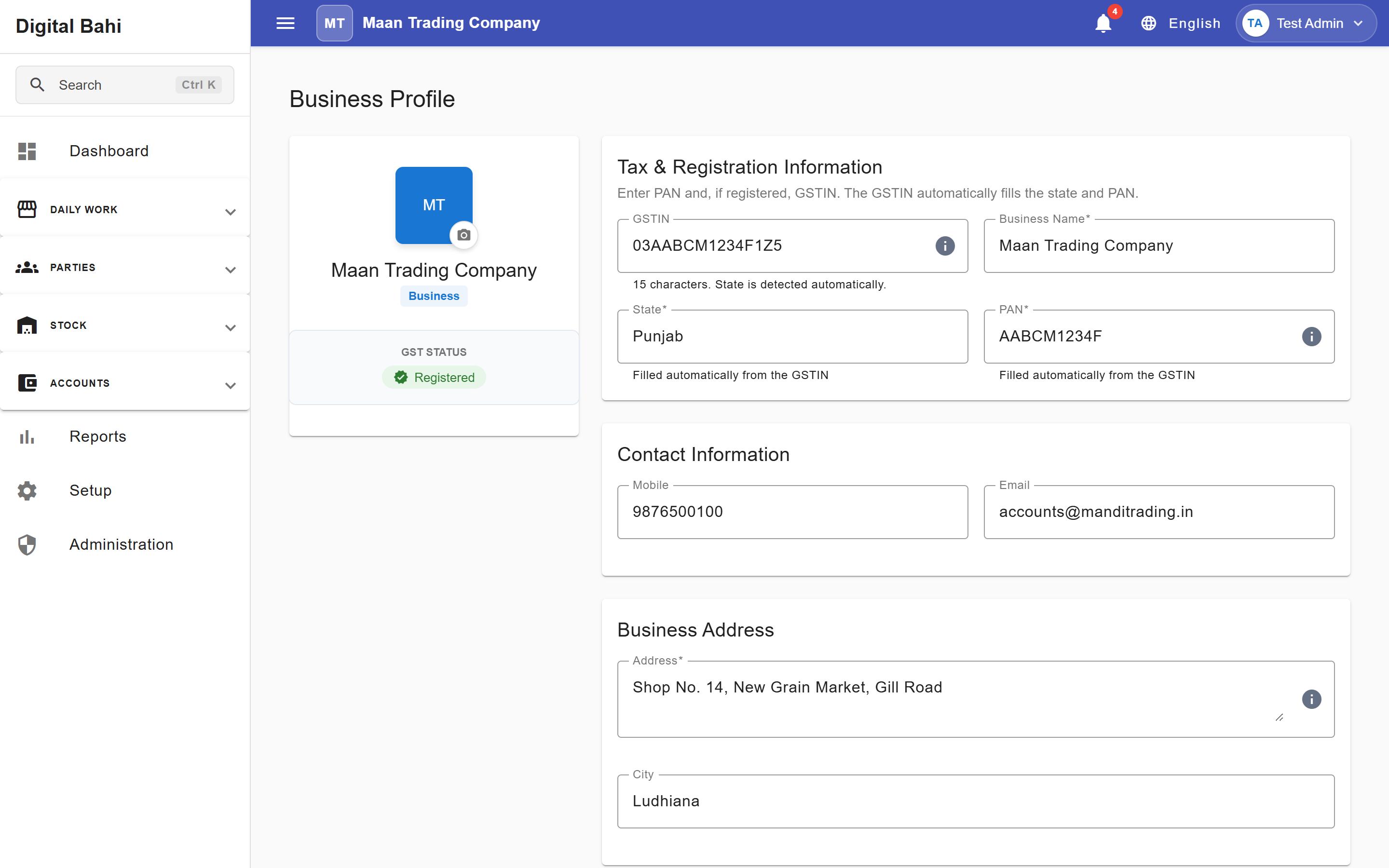
Profile Fields Explained
| Field | Requirement | Description |
|---|---|---|
| Business Name | Required | Your official firm or shop name. Printed as the header on all bills, vouchers, statements, and reports. |
| GSTIN | Optional | Your 15-character Goods and Services Tax Identification Number. Automatically normalized to uppercase without spaces. |
| State | Required | Your business state. Used to determine intra-state (CGST + SGST) vs. inter-state (IGST) tax on transactions, and cascades to filter the District list. |
| District | Optional | Your district, filtered automatically based on the selected State. |
| PAN Number | Required | Your 10-character Permanent Account Number (required for trading readiness in the Setup Center). |
| Address | Required | Your shop, Mandi yard, or office address. Required for trading readiness and printed on invoices. |
| City & Pincode | Optional | Your city/town and postal code for invoice headers. |
| Mobile & Email | Optional | Primary business contact details displayed on printed documents. |
Smart GSTIN Auto-Fill & Cross-Validation
To prevent tax filing errors, Digital Bahi automatically assists and validates your GSTIN:
- Automatic State & PAN Extraction: When you type a valid 15-character GSTIN, Digital Bahi automatically selects the matching State (from the first 2 digits of the GSTIN) and fills in your 10-character PAN Number (from characters 3–12 of the GSTIN).
- Mismatch Protection: If both GSTIN and State (or PAN Number) are filled, the system verifies that they match. You cannot save a Business Profile where the selected State or PAN conflicts with the embedded codes inside the GSTIN.