Roles & Permissions
Roles & Permissions (Administration > Roles at /security/roles and Administration > Permission Matrix at /security/permissions) let you control exactly which menus, screens, and actions each staff member can see and perform in Digital Bahi.
System Role Templates & Cloning
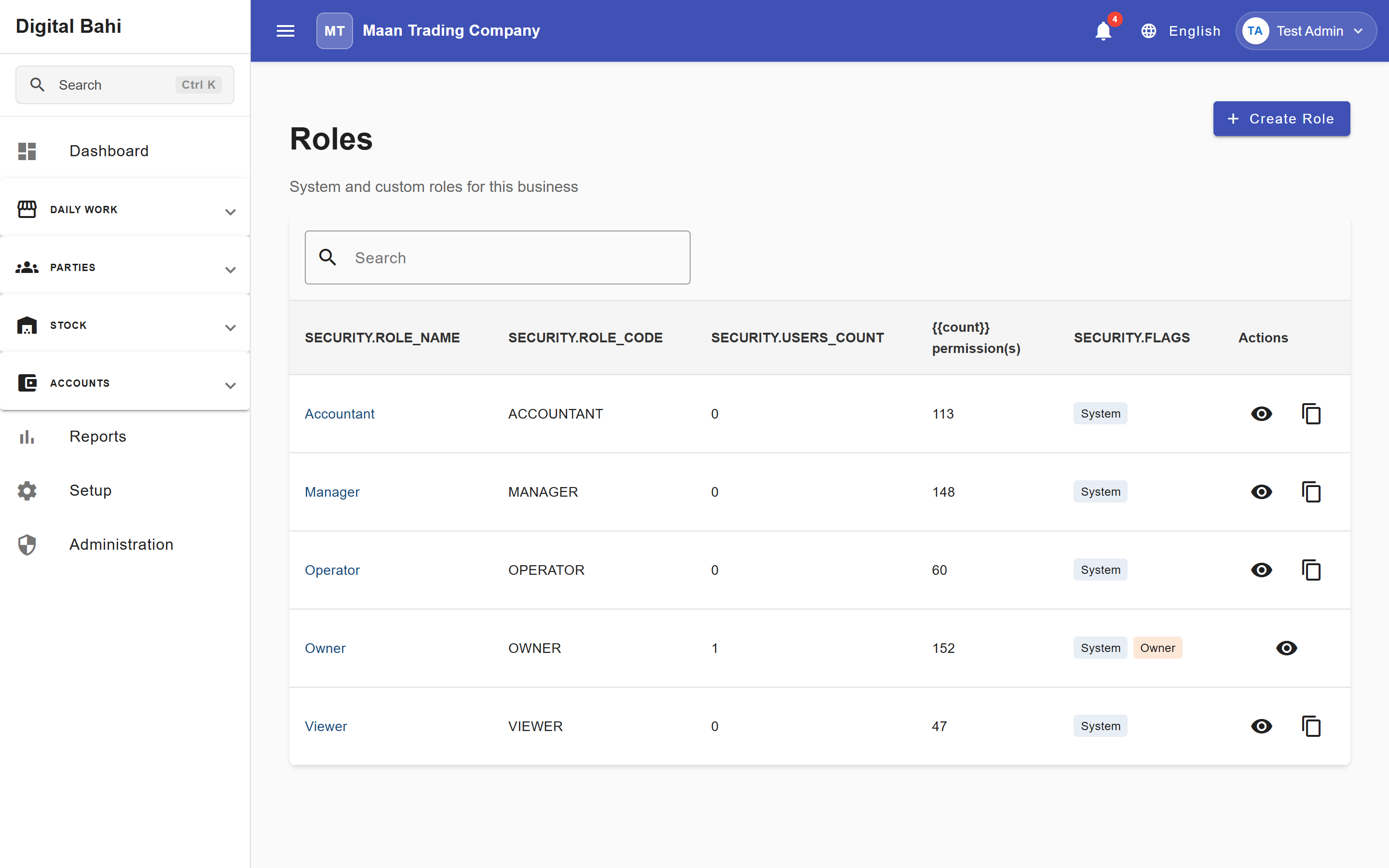
Digital Bahi provides five standard role templates tailored for Mandi operations:
- Owner (
OWNER): Full administrative, financial, setup, and security control (64 permission(s)). Protected from deletion or privilege removal (System,Owner Protected). - Manager (
MANAGER): Broad operational and supervisory access across daily trading, masters, and reports (60 permission(s)). - Accountant (
ACCOUNTANT): Focused on accounting books, ledgers, journal vouchers, bank reconciliation, fixed assets, interest calculation, and GST/statutory reports (36 permission(s)). - Operator (
OPERATOR): Focused on daily Mandi entry (Arrivals, Tulai, Purchases, Sales) without administrative or period-closing privileges (25 permission(s)). - Viewer (
VIEWER): Read-only access to permitted screens and reports without create, edit, or delete capabilities (22 permission(s)).
Creating or Cloning a Role
To create a custom role quickly without checking dozens of boxes from scratch:
- Open Administration > Roles (
/security/roles). - Use the top creation bar (Role Name, Role Code, Description, and Template dropdown) and click Create Role, or click Clone on an existing row in the table.
- Click Open Permission Matrix (or Matrix on any role row) to fine-tune its permissions.
Managing the Permission Matrix
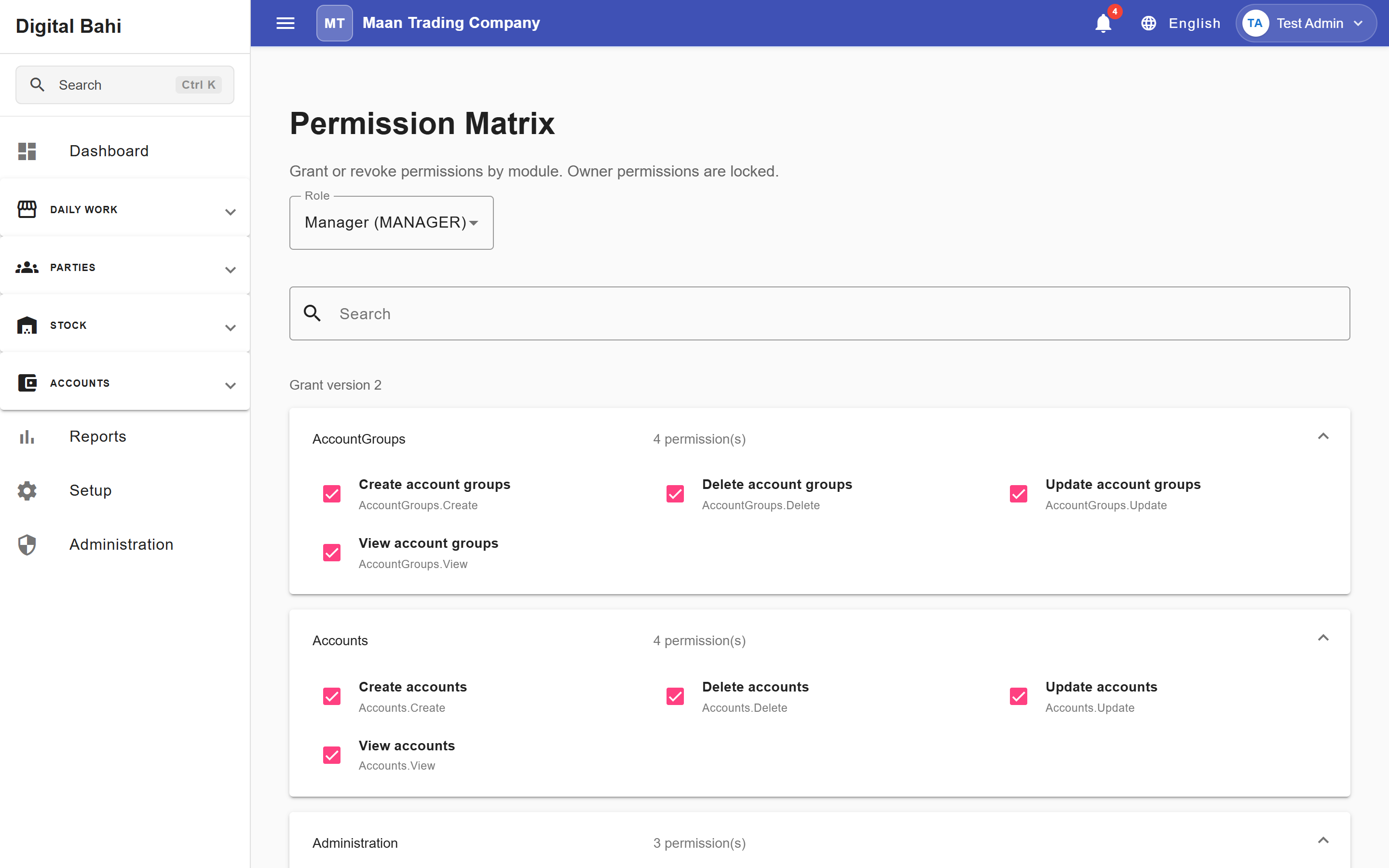
The Permission Matrix (/security/permissions) displays a searchable, module-grouped grid of every capability in Digital Bahi:
- Open Administration > Permission Matrix (
/security/permissions) and select the Role you want to configure from the dropdown. - Search for a module using Search modules or browse the grouped categories (such as Dashboard, Arrival, Purchase, Sale, Farmers, Buyers, Commodities, Stock, Accounts, GST, Security, and Backup).
- Toggle individual action checkboxes for each module—View, Create, Update, Delete, Manage, and Backup.
- Click Save Permissions:
- Digital Bahi includes an Unsaved Changes Guard that warns you if you try to switch roles or leave the page before saving.
- Once saved, active users assigned to that role have their permissions refreshed immediately, and the change is recorded in the Security Audit Logs.
Role Protection & Deletion Rules
Digital Bahi enforces strict safeguards to prevent accidental lockout or data loss:
- Owner Role Protection: Critical permissions on the
OWNERrole are locked (System role permissions are read-only) so a business owner can never accidentally remove their own administrative access, and Owner privileges cannot be cloned into an unrestricted secondary role. - System Roles Cannot Be Deleted: Built-in system roles are permanently protected.
- Roles with Assigned Users Cannot Be Deleted: Before deleting a custom role, you must reassign all active and archived users currently mapped to that role.
Best Practices
- Give Every Staff Member an Individual Login: Never share the Owner login; individual accounts ensure every entry in the Day Book and Audit Logs shows the exact staff member who recorded it.
- Restrict Cancellation, Reversal, and Period Locking: Grant voucher reversal and GST/Financial Year locking permissions only to your senior accountant or business owner.